Introduction
What if I told you that a simple right-click and a few keystrokes in Chrome DevTools could bypass an enterprise security policy designed to enforce Single Sign-On (SSO) and Multi-Factor Authentication (MFA)?
That's exactly what I discovered while testing the OpenAI Codex CLI. The vulnerability? A classic case of relying on client-side controls for server-side security enforcement—a lesson that never gets old in the world of web application security.
In this post, I'll walk you through how I discovered and responsibly disclosed a Business Logic Bypass vulnerability in OpenAI's authentication system, and why this serves as a critical reminder: Never trust the client.
The Discovery: The "What if?" Moment
It started as most security discoveries do—with curiosity and a simple question: "What if?"
I was testing the OpenAI Codex CLI and attempting to authenticate using Device Code Authentication. However, my Enterprise workspace administrator had disabled this feature to enforce stricter authentication policies (SSO with MFA).
When I navigated to the authentication page, I was greeted with an "Access Denied" state:
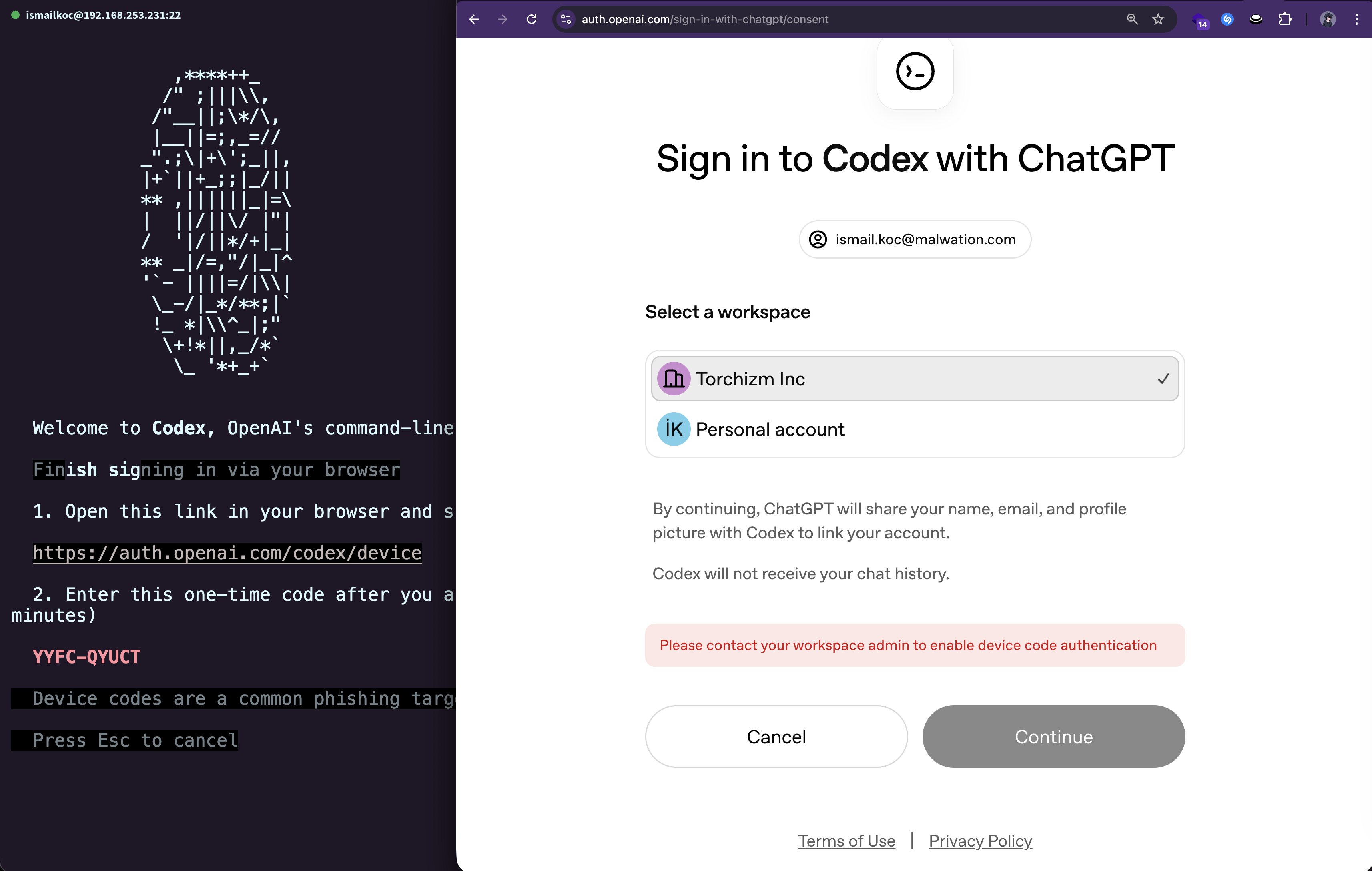
The Continue button was visibly grayed out and marked as disabled in the HTML. The UI was clearly telling me: "You can't do this."
But here's where the security researcher in me kicked in. I asked myself:
"Is this restriction enforced by the server, or is it just the browser preventing me from clicking?"
The Technical Deep Dive: The Exploit
Time to put on my investigator hat. I opened Chrome DevTools (F12), inspected the disabled button, and examined the HTML:
<button class="continue-btn" disabled>Continue</button>
There it was—the disabled attribute. The button wasn't clickable because the browser was obeying a simple HTML attribute. But what would happen if I removed it?
The Steps:
- Open Chrome DevTools (
F12or Right-click → Inspect) - Locate the button element in the DOM
- Edit the HTML: Remove the
disabledattribute - Click the now-enabled button
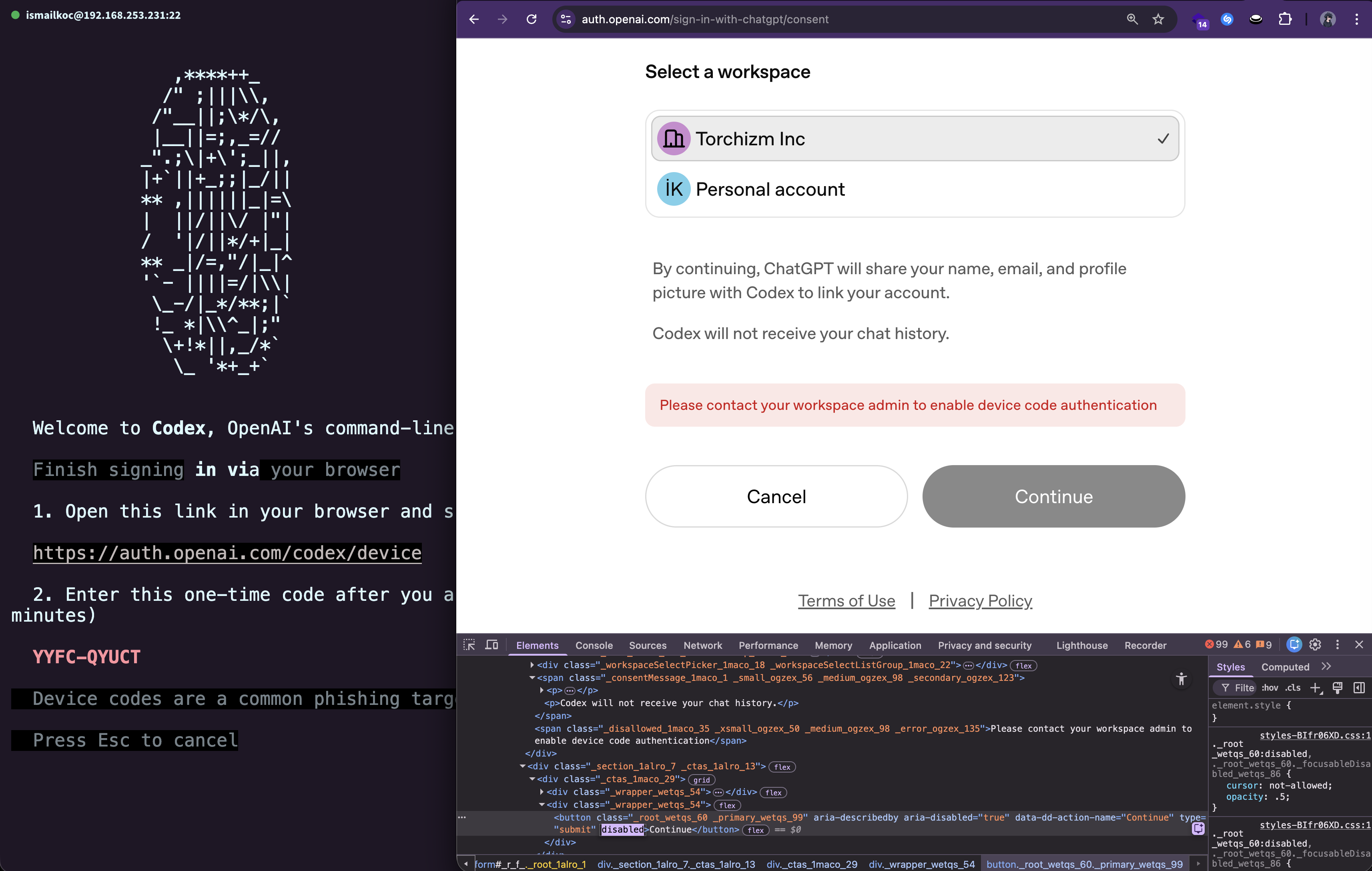
And just like that, the button became clickable.
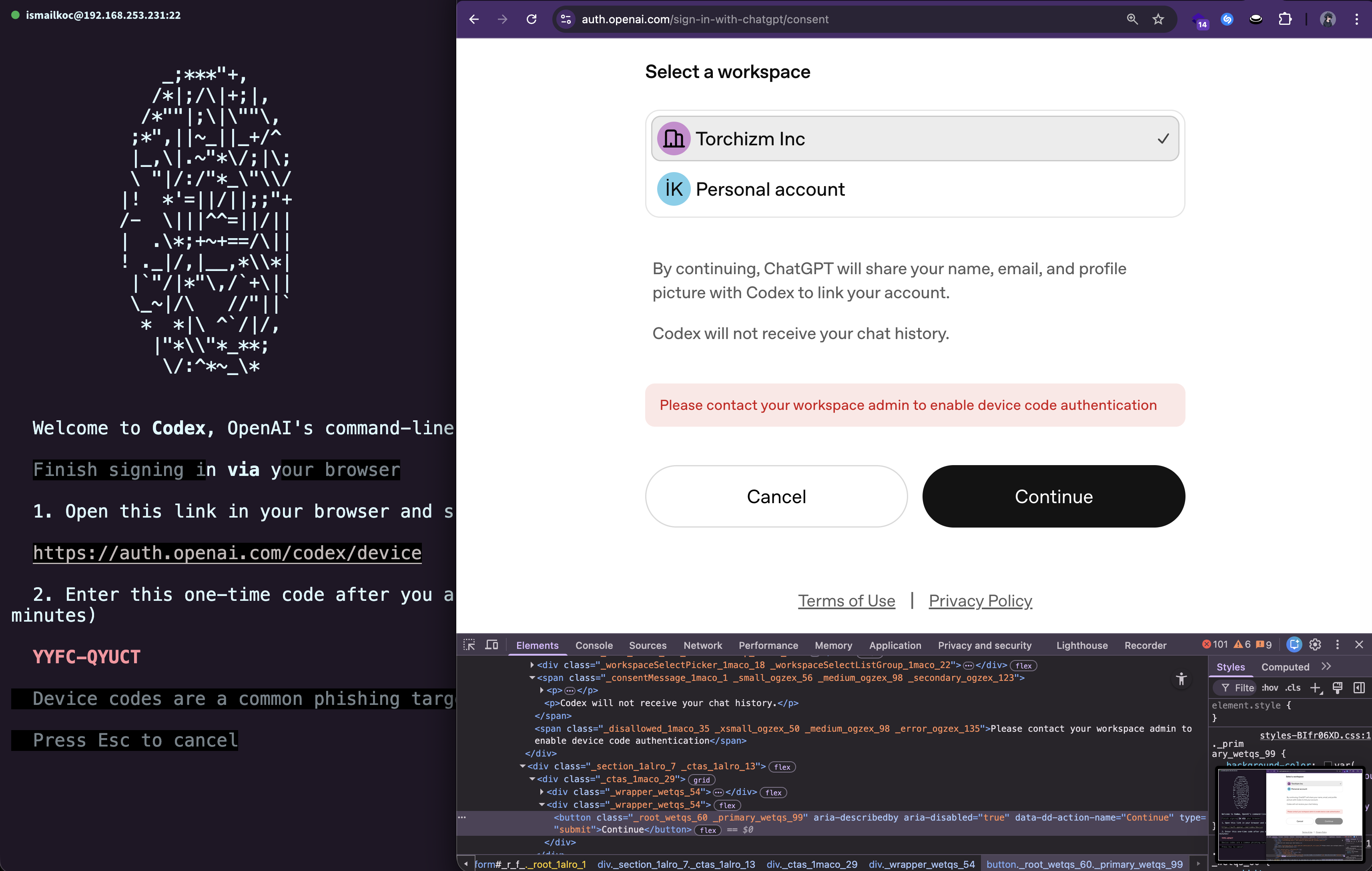
I clicked Continue, expecting the server to reject my request with a proper authorization error. Instead...
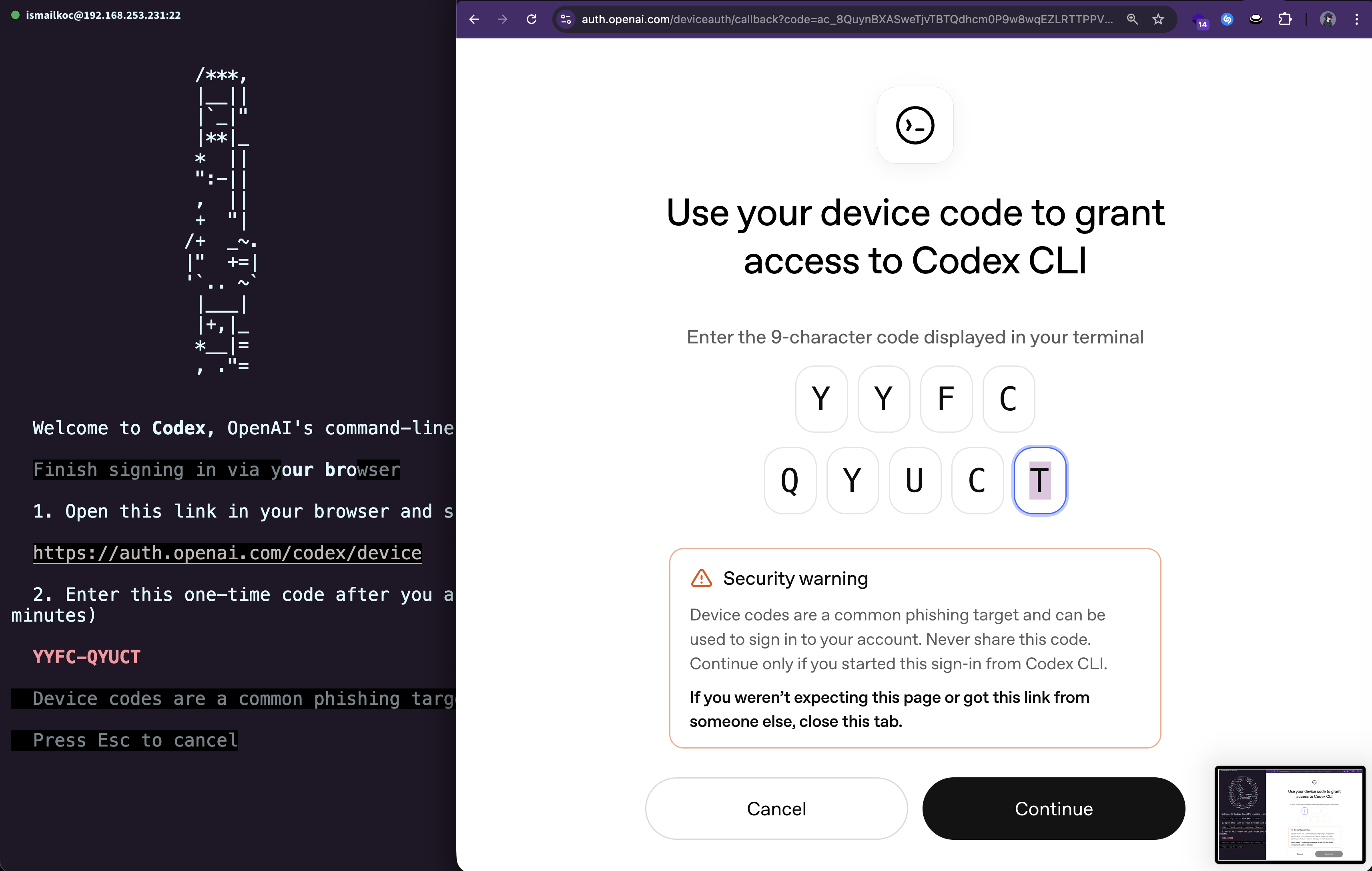
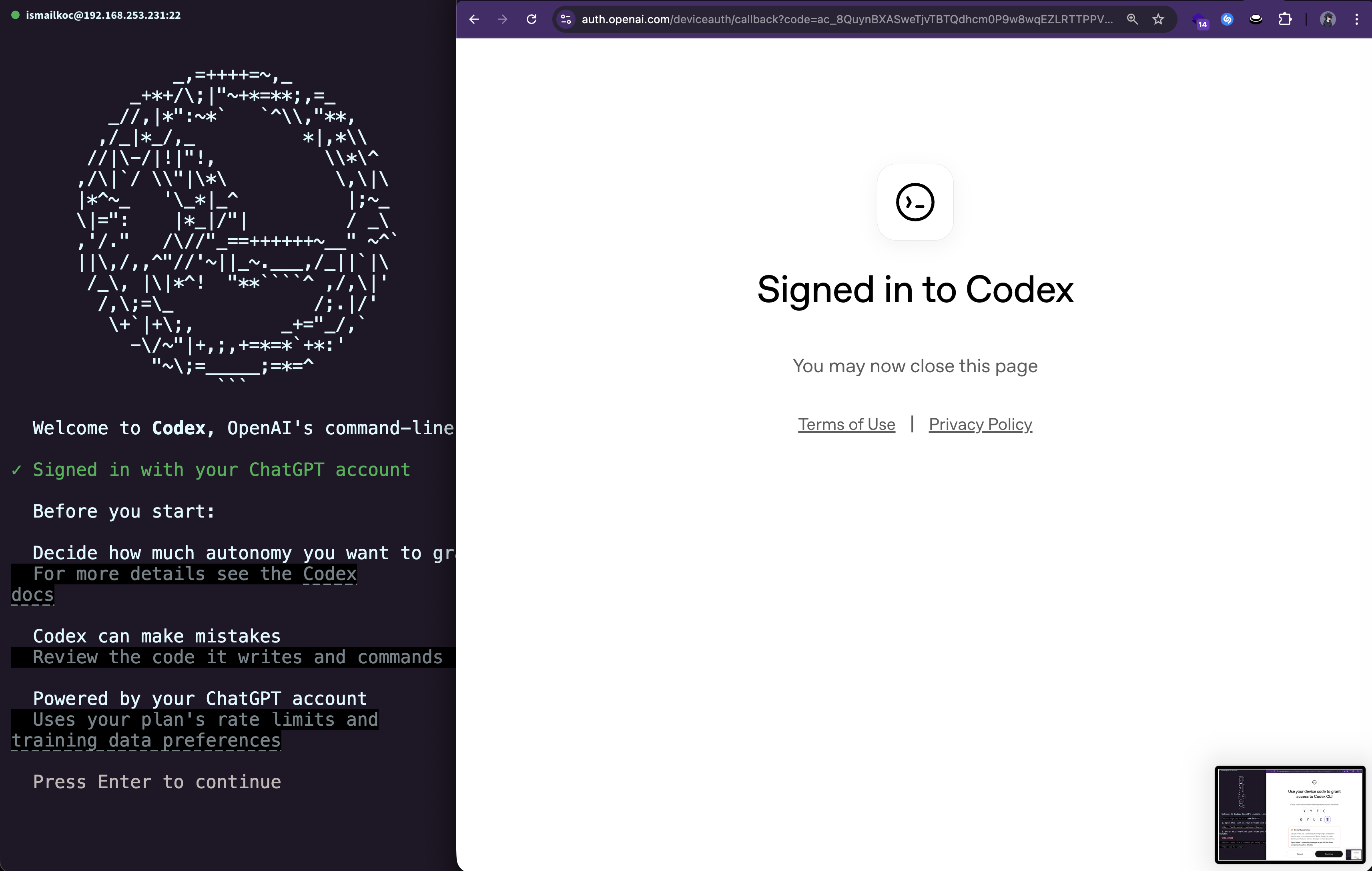
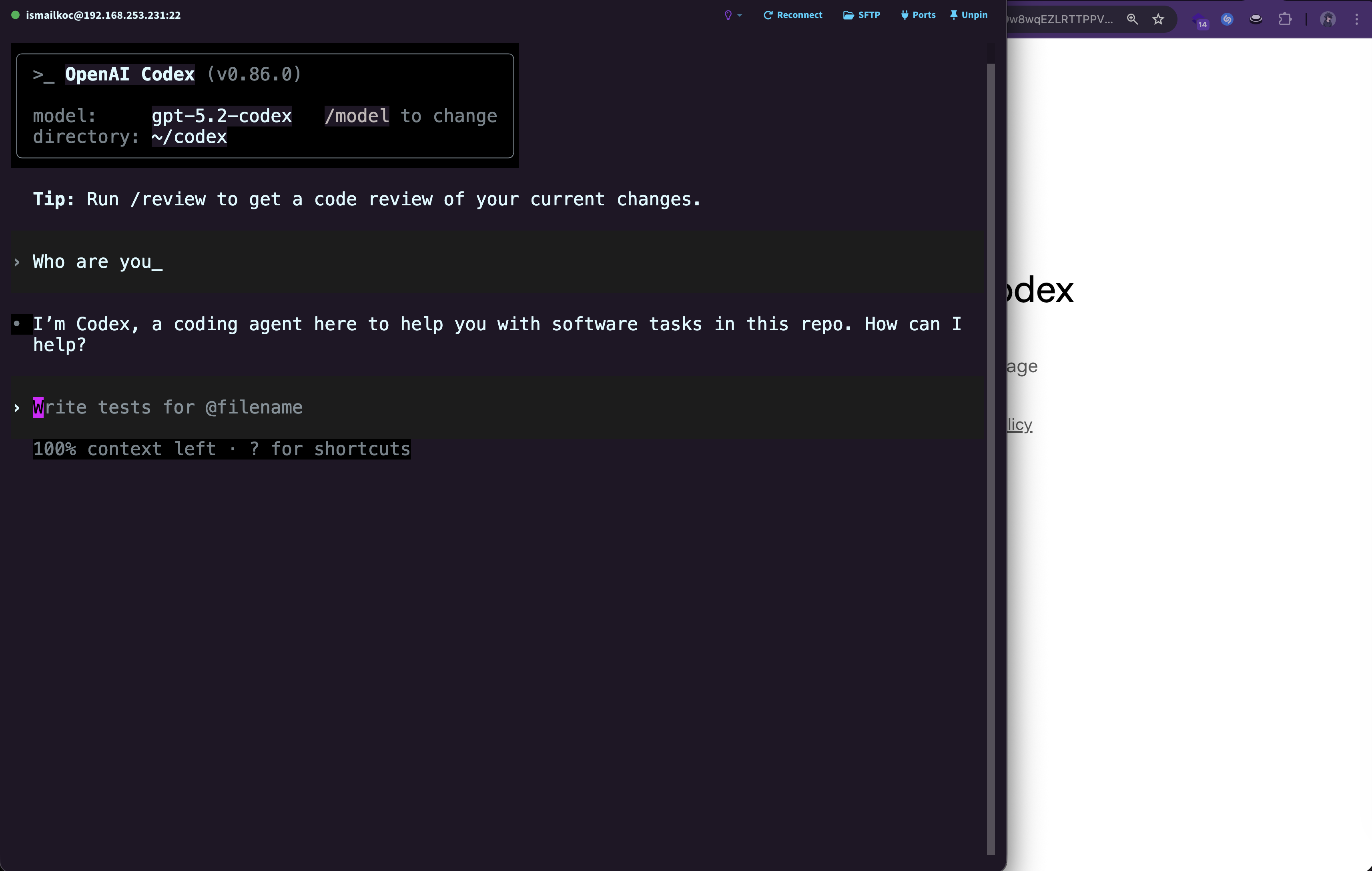
The server accepted the Device Code authentication request.
The backend API had no server-side validation to check whether Device Code Authentication was actually enabled for my workspace. It simply processed the request as if the policy didn't exist.
The Impact: Why This Matters
This might seem like a small oversight, but the security implications are significant:
🔓 Bypassing Corporate Security Policies
Enterprise administrators disable Device Code Authentication for a reason—to enforce: - Single Sign-On (SSO) with centralized identity management - Multi-Factor Authentication (MFA) for enhanced security - Hardware security keys (e.g., YubiKey) for phishing-resistant authentication - Zero Trust Architecture compliance
By bypassing this control, an attacker (or even a well-meaning employee) could: - Authenticate from unapproved devices - Avoid MFA requirements - Circumvent logging and monitoring systems tied to SSO - Potentially exfiltrate data or access sensitive resources outside of corporate oversight
🎯 A Textbook Business Logic Flaw
This vulnerability is categorized as a Business Logic Bypass—one of the most common yet overlooked vulnerability classes. It doesn't involve: - SQL injection - Cross-site scripting (XSS) - Buffer overflows
Instead, it exploits a flaw in the application's logic: the assumption that UI state equals security enforcement.
The Resolution: Responsible Disclosure
As soon as I confirmed the vulnerability, I immediately followed responsible disclosure practices:
Timeline:
- January 16, 2026, 18:17:48 UTC: Submitted the vulnerability via OpenAI's Bugcrowd program
- January 16, 2026, 18:35:55 UTC: Vulnerability triaged and confirmed as a Privilege Escalation affecting
*.openai.com - January 17, 2026, 15:53:15 UTC: Marked as a duplicate (another researcher had independently discovered the same issue)
While my report was a duplicate, it's worth noting that independent discovery validates the severity and reproducibility of the issue. The fact that multiple researchers found this vulnerability highlights how common—and dangerous—client-side security assumptions can be.
The Fix:
The proper server-side fix should involve:
# Pseudocode for server-side validation
def handle_device_code_auth(workspace_id, user_id):
    workspace = get_workspace(workspace_id)

    # ✅ Server-side validation
    if not workspace.device_code_enabled:
        return {
            "error": "Device Code Authentication is disabled for this workspace",
            "code": "AUTH_METHOD_DISABLED"
        }, 403

    # Proceed with authentication...
    return authenticate_device_code(user_id)
The key principle: Always re-verify permissions and policies on the server side, regardless of what the client presents.
Key Takeaways for Developers
If you're building web applications—especially those handling authentication and authorization—here are the critical lessons from this vulnerability:
1. Client-Side Validation is for UX, Server-Side Validation is for Security
Client-side controls improve user experience: - Disabling buttons for unavailable actions - Showing helpful error messages - Preventing unnecessary API calls
But they should never be the sole enforcement mechanism for security policies.
2. Always Re-Verify Permissions on the API Endpoint
Don't assume that: - The client won't manipulate the request - Users won't inspect the DOM - Your frontend code is secure
Every API endpoint should independently verify: - User authentication - User authorization - Workspace/organization policies - Rate limits and quotas
3. Think Like an Attacker
When implementing security controls, ask yourself: - "What if a user modifies this HTML?" - "What if they send this request directly via curl?" - "What if they replay this token?"
Threat modeling and security reviews catch these issues before they reach production.
4. Defense in Depth
Security should never rely on a single layer:
- ✅ Client-side validation (UX layer)
- ✅ Server-side validation (security layer)
- ✅ Database constraints (data integrity layer)
- ✅ Logging and monitoring (detection layer)
Conclusion
This vulnerability serves as a timeless reminder in web security: The client is in the hands of the user—and you can't trust it.
Whether you're building a CLI authentication flow, an admin panel, or a payment gateway, the principle remains the same: Security decisions must be enforced server-side.
I'm grateful to OpenAI for maintaining a robust bug bounty program through Bugcrowd and for taking security research seriously. While my submission was a duplicate, the quick triage and resolution demonstrate their commitment to protecting their users.
Resources
- OWASP Business Logic Vulnerability
- OpenAI Bug Bounty Program
- CWE-602: Client-Side Enforcement of Server-Side Security
Disclosure Statement
This vulnerability was responsibly disclosed to OpenAI and has been resolved. All details shared in this post were disclosed after the issue was patched. No active exploitation techniques are provided beyond educational examples.
About the Author
I'm a security researcher passionate about web application security, responsible disclosure, and helping developers build more secure software. If you found this post helpful, feel free to reach out or share your own security research stories!
Have you discovered a similar client-side bypass? Share your experience in the comments below!