The Birth of sudo: How Two Programmers Solved Unix's Biggest Security Headache
When you run sudo apt update or sudo systemctl restart, you're using a command that fundamentally changed how we think about system administration. But sudo wasn't always there—and the problem it solved was driving Unix administrators to the brink of madness.
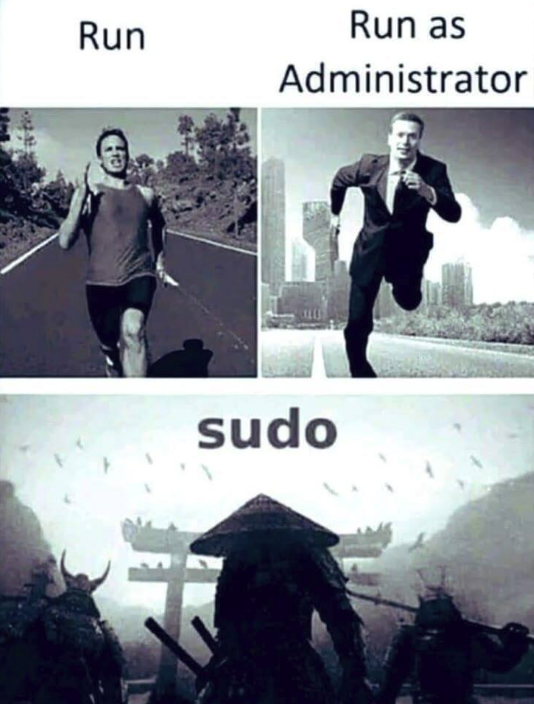
Table of Contents
- The Root Problem
- How su Worked (And Why It Terrified Sysadmins)
- Enter Bob Coggeshall and Cliff Spencer
- The Birth of sudo
- How sudo Changed Everything
- The Evolution of sudo
- sudo in Popular Culture
- Conclusion
The Root Problem
In the early days of Unix, there was one user with absolute power: root. The root account—also called the superuser—could do anything on the system. Install software, delete critical files, modify system configurations, create users, and even accidentally destroy the entire operating system with a single mistyped command.
This unlimited power created a dilemma for system administrators. On one hand, many administrative tasks required root access. On the other hand, staying logged in as root was terrifyingly dangerous. One wrong command, one momentary lapse in concentration, and you could wipe out your entire system.
As Unix systems grew more complex and more people needed to perform administrative tasks, this became an increasingly serious problem.
How su Worked (And Why It Terrified Sysadmins)
Unix had a solution, but it was far from perfect: the su command (short for "substitute user" or "switch user"). The su command allowed you to temporarily become another user—most commonly, the root user.
The typical workflow looked like this:
$ su -
Password: [enter root password]
# whoami
root
# apt install nginx
# systemctl start nginx
# exit
$
Once you typed su - and entered the root password, your shell prompt would change from $ to #—a small but critical visual indicator that you were now operating with unlimited privileges.
The Problem: Human Error
The issue with su was simple: it was too easy to forget you were root.
Picture this scenario that played out thousands of times across Unix systems worldwide:
- Administrator runs
su -to become root - Performs some administrative task (installing a package, editing a config file)
- Gets distracted by an email or a question from a colleague
- Forgets they're still in a root shell
- Types a command intended for their normal user account
- Disaster strikes
Real examples of mistakes that happened because someone forgot they were root:
- Running
rm -rf *in the wrong directory (thinking you're cleaning up your home directory, but you're actually in/) - Changing file permissions on system files that should never be touched
- Accidentally killing critical system processes
- Installing development tools or packages that compromise security
The visual cue (the # prompt) wasn't enough. When you're context-switching between multiple terminal windows, troubleshooting a complex problem, or working late at night, it was disturbingly easy to lose track of which shell had root privileges.
Moreover, sharing the root password among multiple administrators created additional security problems. There was no way to audit who did what, no way to revoke access for one person without changing the password for everyone, and no way to limit which administrative tasks different people could perform.
Enter Bob Coggeshall and Cliff Spencer
In 1980, at the Department of Computer Science at SUNY/Buffalo (State University of New York at Buffalo), two programmers faced this exact problem. Bob Coggeshall was responsible for administering their Unix infrastructure, which ran on a VAX-11/750 minicomputer running 4.1BSD.
The VAX-11/750, introduced by Digital Equipment Corporation (DEC) that same year, was a powerful 32-bit minicomputer. It was more compact and affordable than its predecessor, the VAX-11/780, but still cost around $25,000 per system (nearly $90,000 in today's dollars). These machines ran Unix-like operating systems and served multiple users simultaneously through terminals—making system administration both critical and complex.
Bob and his colleague Cliff Spencer had a realization: the fundamental problem with su was that it changed your session to root. Once you became root, you stayed root until you explicitly exited. This all-or-nothing approach was the source of the danger.
What if, instead, you could execute just one command with elevated privileges, then immediately return to your normal user context?
The Birth of sudo
The solution they created was elegant in its simplicity: a program that would:
- Accept a command as an argument
- Verify that the user was authorized to run that specific command as root
- Execute only that command with elevated privileges
- Return control to the user's normal shell immediately afterward
They called it sudo—short for "superuser do" (though the pronunciation has been debated ever since: "sue-doo" vs "sue-doe").
The original implementation was straightforward but revolutionary:
$ sudo apt install nginx
[sudo] password for bob:
Installing nginx...
$ whoami
bob
Notice the difference: after the sudo command completes, you're immediately back to being your normal user. There's no extended root session to forget about. No lingering superuser privileges that could lead to disaster.
Key Security Improvements
sudo introduced several critical security enhancements:
1. Granular Permissions: The /etc/sudoers file allowed administrators to specify exactly which users could run which commands as root. For example:
# Allow bob to restart web servers
bob ALL = /usr/bin/systemctl restart nginx, /usr/bin/systemctl restart apache2

# Allow alice to install packages
alice ALL = /usr/bin/apt, /usr/bin/yum
2. Audit Trail: Every sudo command was logged, creating an accountability trail. Administrators could see who ran what command, when, and whether it succeeded or failed.
3. No Root Password Sharing: Users authenticated with their own password, not the root password. This meant you could grant and revoke administrative privileges without changing a shared secret.
4. Minimal Privilege Exposure: By executing only a single command with elevated privileges, sudo minimized the "attack surface" and the opportunity for mistakes.
How sudo Changed Everything
The original sudo spread through academic Unix circles via Usenet—the pre-internet network of discussion boards where Unix hackers shared code and ideas. In December 1985, an updated version by Phil Betchel, Cliff Spencer, Gretchen Phillips, John LoVerso, and Don Gworek was posted to the net.sources newsgroup.
By the summer of 1986, Garth Snyder had released an enhanced version. Throughout the late 1980s and early 1990s, a community of contributors—including Bob Coggeshall, Bob Manchek, and Trent Hein at the University of Colorado at Boulder—continued to refine and improve sudo.
In 1991, a major update came from Dave Hieb and Jeff Nieusma, who wrote a new version with an enhanced sudoers file format under contract to a consulting firm called "The Root Group." This version was released under the GNU General Public License, ensuring sudo would remain free and open source.
The real turning point came in 1994 when Todd C. Miller took over maintenance and released "CU sudo" (version 1.3) with bug fixes and support for more operating systems. Miller continued to lead sudo development for decades, transforming it from a university project into an essential component of modern Unix-like systems.
Universal Adoption
Today, sudo is ubiquitous:
- Linux distributions: Ubuntu, Debian, Red Hat, Fedora, and virtually every other Linux distribution install sudo by default
- macOS: Apple's Unix-based operating system uses sudo for all administrative tasks
- BSD systems: FreeBSD, OpenBSD, and NetBSD all include sudo
- Enterprise environments: Sudo is the standard method for privilege escalation in corporate Unix/Linux environments
The command has become so fundamental that:
- The
wheelgroup (users allowed to use sudo) is a standard Unix concept - Cloud computing platforms use sudo in their documentation and default configurations
- DevOps tools and configuration management systems (Ansible, Chef, Puppet) rely heavily on sudo
- Container platforms and CI/CD pipelines use sudo for privileged operations
The Evolution of sudo
Modern sudo has evolved far beyond its 1980 origins:
Advanced Features: - Timestamp caching: After authenticating once, sudo remembers your password for a configurable time period (typically 15 minutes) - NOPASSWD option: For automated scripts, sudo can be configured to run certain commands without password prompts - Environment control: sudo can preserve or reset environment variables for security - Plugin architecture: Extended functionality through loadable modules - Centralized management: LDAP integration for enterprise-wide sudoers policies - Session recording: Complete audit trails of what happened during sudo sessions
Security Hardening: - Protection against privilege escalation attacks - Secure path handling to prevent malicious binary substitution - Detailed logging with syslog integration - Support for multi-factor authentication
sudo in Popular Culture
The command has become so culturally significant in the tech world that it spawned countless memes and references:
xkcd's "Sandwich" Comic
Perhaps the most famous sudo reference comes from xkcd comic #149 (2006):
Person: Make me a sandwich.
Computer: What? Make it yourself.
Person: Sudo make me a sandwich.
Computer: Okay.
The comic perfectly captures sudo's power: it's the magic word that transforms a request into a command that must be obeyed.
The "sudo make me a sandwich" phenomenon
This comic became so popular that: - It spawned thousands of t-shirts, stickers, and mugs - Programmers use "sudo" in everyday conversation to mean "do this with authority" - Job candidates have been known to reference it in technical interviews - It's become a cultural touchstone for identifying fellow programmers
In Modern Language
The term "sudo" has even entered casual tech vernacular:
- "I need to sudo my way into that database" (meaning: get elevated permissions)
- "That's a sudo-level decision" (meaning: requires high-level authority)
- "sudo apt install coffee" (programmer humor about needing caffeine)
Conclusion
What started as a practical solution to a specific problem at SUNY/Buffalo in 1980 became one of the most important security tools in computing history. Bob Coggeshall and Cliff Spencer's insight—that privilege elevation should be temporary and targeted, not persistent and unlimited—fundamentally changed how we approach system administration.
Every time you run sudo before a command, you're benefiting from their innovation: a safer, more auditable, more flexible approach to administrative privileges. The command embodies a core principle of computer security that remains relevant today: the principle of least privilege—users should have only the permissions they need, when they need them, and not a bit more.
In an era where a single compromised administrator account can lead to catastrophic security breaches, sudo's approach of temporary, logged, granular privilege elevation is more important than ever. What was once a solution to the problem of "forgetting you're root" has become a cornerstone of modern security architecture.
Fun Fact: The pronunciation of "sudo" remains contentious. Bob Coggeshall himself pronounced it "sue-doo," but many people say "sue-doe." In a 2014 interview, Coggeshall graciously stated he doesn't mind either pronunciation. After all, as long as the command works, who cares how you say it?
Want to dive deeper into Unix history? Check out the story of how the first computer bug was an actual moth, or explore how vacuum tubes powered the first electronic computers.